














visibility HeyLead product · Behaviour analytics

HeyLead Insights: see what visitors actually do on your site

Session recordings, click heatmaps, and on-page behaviour data so you fix landing pages with evidence - not opinions. Built for agencies and growth teams who need to know why traffic does not convert.

Lightweight tracking snippet, multi-site isolation, and a focused dashboard. Start with replay and heatmaps today - expand into funnels, form analytics, and journey alerts as the platform grows.

  • check_circle Session replay
  • check_circle Click heatmaps
  • check_circle Multi-site isolation
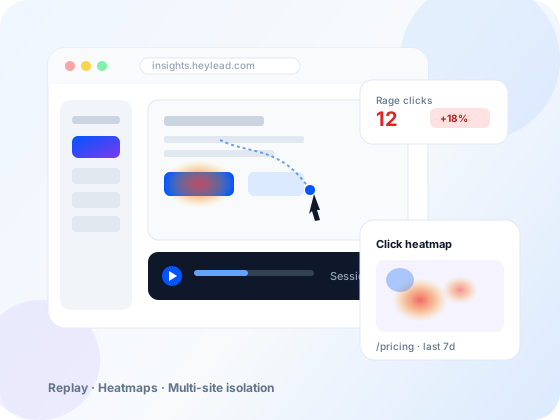
HeyLead Insights product preview: session replay player with click heatmap overlay and multi-site dashboard
replay

Session recordings

Full visits: scroll, clicks, path

grid_view

Click heatmaps

Where attention lands - or never does

south

Scroll and engagement

Depth and pageview context

dns

Multi-site isolation

One dashboard, separate data

Install with a small snippet or GTM - works on WordPress, static, and most marketing stacks

Available now

Everything you need to diagnose post-click friction

Analytics tells you that conversions dropped. Insights shows you the moment a visitor hesitated, rage-clicked a dead button, or abandoned after the company-size field.

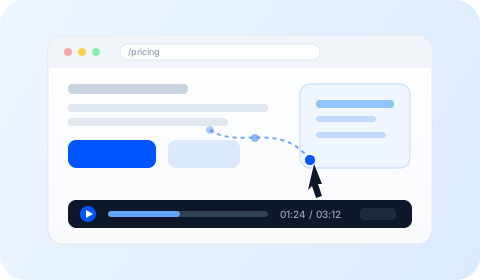
Session replay player with cursor trail and timeline
play_circle

Session replay

Watch real sessions end to end. See how users move through service pages, pricing blocks, and forms - then share the clip with design or developers.
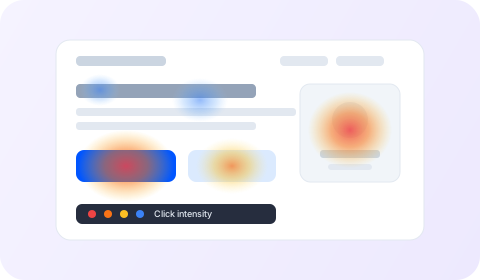
Click heatmap overlay showing hot and cold click zones on a page
touch_app

Click heatmaps

Aggregate click intensity on key templates. Spot decorative elements that steal clicks and CTAs that never get touched.

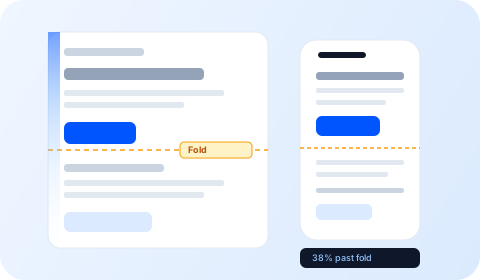
Desktop and mobile scroll depth with fold line markers
south

Scroll and pageview context

Understand whether proof, FAQs, and secondary CTAs are even in the viewport - or buried below the fold on mobile.

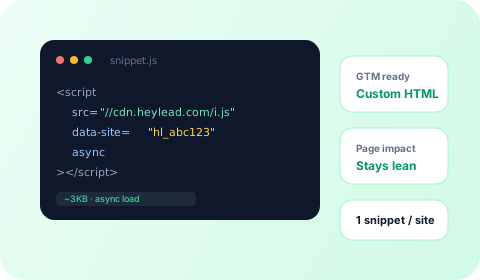
Lightweight tracking snippet code and GTM install badges
widgets

Lightweight tracker

One snippet per site. Works with Google Tag Manager or direct install. Built to stay lean so marketing pages stay fast.

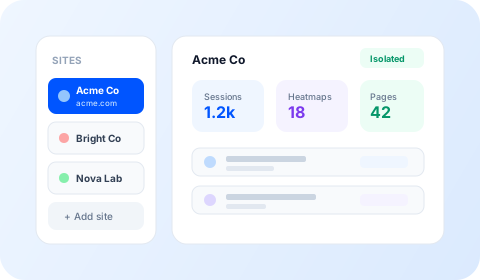
Multi-site dashboard with isolated client properties
domain

Multi-site dashboard

Register each client or brand property. Data stays isolated. Switch sites without mixing sessions or heatmaps.

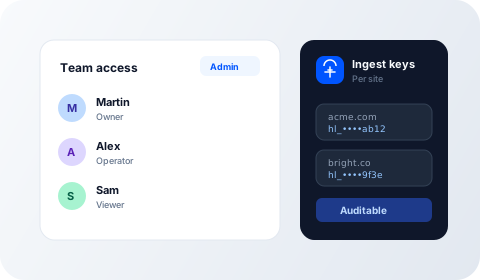
Team access roles and per-site ingest keys
lock

Operator-first access

Dashboard access for your team. Clear ingest keys per site so implementation stays controlled and auditable.

Growing platform

More insight modules on the roadmap

Insights starts with the highest-leverage behaviour views. Additional modules ship as the platform expands - so you grow into deeper CRO without changing vendors every quarter.

Coming

Form field analytics

See drop-off by field, hesitation time, and error loops so you fix the company-size field - not the whole form blindly.

Coming

Conversion funnels

Define key steps (landing → service → form → thank-you) and quantify where visitors leave the path.

Coming

Frustration signals

Rage clicks, dead clicks, and rapid backtracks surfaced automatically so you prioritise the worst UX friction first.

Coming

Journey alerts

Get notified when conversion rate or form completion dips on priority pages - before the weekly report meeting.

Coming

Team workspaces

Invite strategists and designers with scoped access so client data stays separate and collaborative-outs stay clean.

Coming

Deeper integrations

Tighter handoffs with GA4, ad platforms, and CRM events so behaviour insight sits next to revenue - not in a silo.

Want early access to a module that matters for your stack? Tell us your priority and we will map it to the roadmap.

Who uses Insights

Built for teams that own conversion, not just traffic

  • campaign

    Performance and growth marketers

    Diagnose why paid and organic landings underperform without guessing at copy.

  • web

    Web and CRO leads

    Prioritise form, proof, and layout fixes with session evidence stakeholders accept.

  • apartment

    Agencies running many sites

    Multi-site isolation keeps client behaviour data separate while you work from one dashboard.

Pairs with HeyLead

Behaviour insight + content + media, one team

Insights is strongest next to web and landing page work, analytics, and paid/organic programmes. When traffic is fine but leads are weak, start here before buying more clicks.

Shipping niche content at scale? Pair with HeyLead Auto Blogger so new pages launch into a stack that can also measure how visitors use them.

Get Insights on your sites arrow_forward

How it works

From snippet to session in four steps

01

Register the site

Add the domain in Insights. Get a site ID and ingest key for that property only.

02

Install the tracker

Paste the snippet sitewide or via GTM. Confirm pageviews land in the dashboard.

03

Watch behaviour

Open sessions and heatmaps on priority landing and service templates.

04

Fix what leaks

Ship layout, proof, and form changes - then confirm the next sessions improve.

FAQ

Common questions

Does Insights replace Google Analytics?expand_more
No. Analytics answers what and how much. Insights answers what happened on the page. Use both: GA4 (or similar) for volume and channels; Insights for qualitative behaviour that explains conversion leaks.
Will the tracker slow my site?expand_more
The snippet is designed to stay lightweight and load asynchronously. We still recommend measuring Core Web Vitals on key templates after install. If a page is already heavy, fix media and scripts first - then add behaviour tracking.
Can agencies run many client sites?expand_more
Yes. Multi-site isolation is core. Each site has its own keys and data. That matches how HeyLead runs multi-client stacks for SEO, ads, and web work.
What stacks can install Insights?expand_more
Any site that can load a small JavaScript snippet: WordPress, static marketing sites, and most custom front ends. GTM works as a Custom HTML tag with an All Pages trigger.
When should we add Insights vs buying more ads?expand_more
If you already get clicks but CPL quality is weak, form rates are low, or paid and organic disagree with CRM, fix the page first. Insights shows whether the problem is proof, layout, mobile UX, or form design before you scale spend.
How do we get started?expand_more
Contact HeyLead with your primary domains and goals (lead forms, bookings, multi-location pages). We will set up sites, install the tracker, and walk through the first sessions and heatmaps with your team.

Ready to stop guessing why pages do not convert?

We will help you install Insights, prioritise the worst leaks, and connect findings to your SEO, ads, and landing page programme.