


Martin
Founder, strategy and audits
Writes every audit and takes every first call. On your account from day one, running growth for SMEs since 2010.
A kitchen buyer rarely decides in one week. They visit your showroom, talk it over, compare quotes and drift. CRM integration, meaning a customer record system, keeps each person's budget, layout and stage in one place, with follow-up that fits a slow decision. Your designers stop relying on memory and sticky notes.
For kitchen designers and renovation builders with long sales cycles who want every consult, design stage and quote recorded, followed up and linked to signed contracts.
Context from how your customers search, compare and book.
Selling a kitchen takes several meetings. There is a first call, a showroom visit or in-home measure, a concept drawing, a revised drawing, a quote, and often a second visit with a partner. Each step creates notes. When those notes live in an email thread, the person who finishes the quote may not know what was promised.
Two people usually decide. One may handle the first contact while the other joins later, and both need to be recorded. Budget range, preferred cabinets, appliance choices, layout changes and approvals for apartment buildings all matter, and the record should hold them where the designer can see them at once.
Timing is uneven. Some buyers want to start next month, some in half a year after the house sale settles. A good record keeps the target start month, and prompts a short, useful message at the right moment, such as a layout guide or a note about order lead times. It stops you pestering those who are not ready.
Showroom and trade contacts add complexity. Walk-ins, architect referrals and appliance suppliers all send people your way. Putting these in the same record as web leads gives you a single picture of the pipeline, and shows which relationships produce signed kitchens rather than polite visits and long chats over coffee.
A clear, repeatable process built around how kitchen renovations customers search and decide.

We list how kitchen leads reach you: forms, calls, showroom visits, architect emails, appliance supplier referrals and downloads of layout guides. All of them are brought into one record with a source label, so nobody has to ask which designer owns a conversation.

Each card holds both contacts, project type, rough size, budget band, target start month, current kitchen issues, layout wishes and approval needs. We keep first-contact forms short and let designers add detail after the first conversation, on a tablet or phone.

Stages run from new lead to consult booked, concept presented, quote sent, deciding, signed, in build and handed over. Each stage has a small set of prompts and messages, such as a thank-you after the consult or a gentle check-in after the quote. You edit all wording.

Leads who are not ready get low-key content that matches their start month: a layout guide, a note on order lead times, a finished-project story. A reminder prompts the designer to call at the right time. When a lead says no, the reason is recorded.

Signed contracts are sent back to your ad accounts, so campaigns learn which searches bring buyers instead of browsers. We review stalled quotes with you every month, check the link is still working and adjust stages after any change in how the showroom runs.
Get every inquiry into your CRM (customer tracking system) fast, with its source recorded
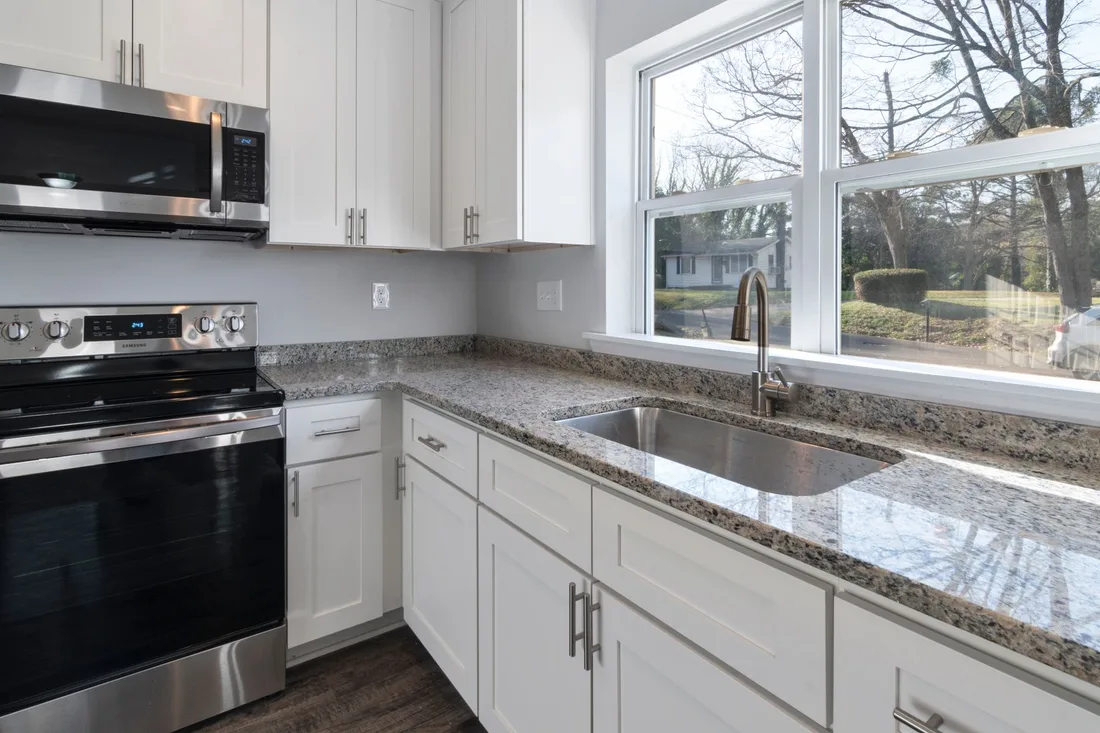
The mechanics behind CRM Integration for kitchen renovations, explained plainly.
Showroom staff add visitors in seconds on a tablet, with a source question and a project note. Entries save locally if the connection drops and sync later. Every card can be opened by the designer in the room, in front of the client.
Concept drawings, quotes and photos of the existing room attach to the lead card. If you use design software or a quoting tool, we link them so a new quote updates the stage. This keeps the record accurate without extra typing.
Emails and texts follow local rules on consent and opt-out. We separate project updates from marketing, add clear opt-out wording and give you control of every automated message. Nothing goes out in the evening unless you decide it should.
Kitchen Renovations CRM integration is scoped to the system you already use, or a simple one if you have none. We quote it after a short look at how leads reach you today.
What's included
Every lead from forms, calls and ads lands in one place with its source, and goes to the right person.
Fast first replies and follow-up steps, so fewer leads go quiet.
Booked and lost outcomes tagged, so reports and ad accounts learn which leads were real.
The cost depends on your current tools and how many steps you want automated. Talk to us for a fit.
Better follow-up shows up quickly. Evidence about which stages leak takes a few months of consults.
We build the lead card, connect forms and tracked numbers, and load open quotes and recent consults. Your designers try the stages on real leads. Reminders and first messages are written together.
Follow-up becomes a habit. You can see which quotes are waiting and for how long, and which consults never reached a design. We adjust wording and timing after hearing how buyers respond.
Patterns appear by source, project size and start month. Nurtured leads begin to return, and signed contracts flow back to ad accounts. We refine stages and reasons for lost sales so the record reflects how you really sell.
Our team
Martin writes every audit and takes the first call. The same team stays on the account. 160+ businesses since 2010.
Founder, strategy and audits
Writes every audit and takes every first call. On your account from day one, running growth for SMEs since 2010.

Social and app development
Shapes social strategy and builds practical app experiences that turn attention into action.

SEO
Owns technical, local and content SEO so the right buyers find you when demand is highest.

Paid media
Plans and manages paid search and social campaigns around qualified leads.

Analytics
Connects tracking, attribution and reporting so decisions are based on revenue-quality data.

Design
Creates clear brand and conversion-focused design across landing pages, campaigns and product experiences.
Certified and experienced
Verified platform knowledge, 25+ years of hands-on experience, and an operating track record since 2010.
Get a free audit and we will show you where you are losing inquiries today.
Get a Free Audit arrow_forward
Reviewed by
Martin Marinov
Founder, HeyLead
Martin founded HeyLead and has worked in SEO and paid search for more than 20 years, across Google Ads, Microsoft Ads and organic search.