

Martin
Founder, strategy and audits
Writes every audit and takes every first call. On your account from day one, running growth for SMEs since 2010.
Battery buyers arrive full of questions. What runs during an outage? Will it fit my solar? Where does it go? We design a fast battery installer site that answers them in order, shows tidy installs, asks for the details your estimator needs and tracks every request back to its source.
For battery and backup power installers whose site explains products but not outcomes, and who want more quote requests with the right details attached.
Context from how your customers search, compare and book.
Visitors want outcomes before products. They look for the answer to what happens when the grid goes down, and only then for brands and capacity. A site that opens with specification tables loses most of them. One that opens with a simple picture of which rooms stay lit holds attention.
Compatibility is the most common blocker. Owners of existing solar worry that nothing will fit their inverter. A page that lists common situations, explains AC and DC connection in plain words and offers a quick way to send a photo of the inverter label turns worry into a lead your estimator can use.
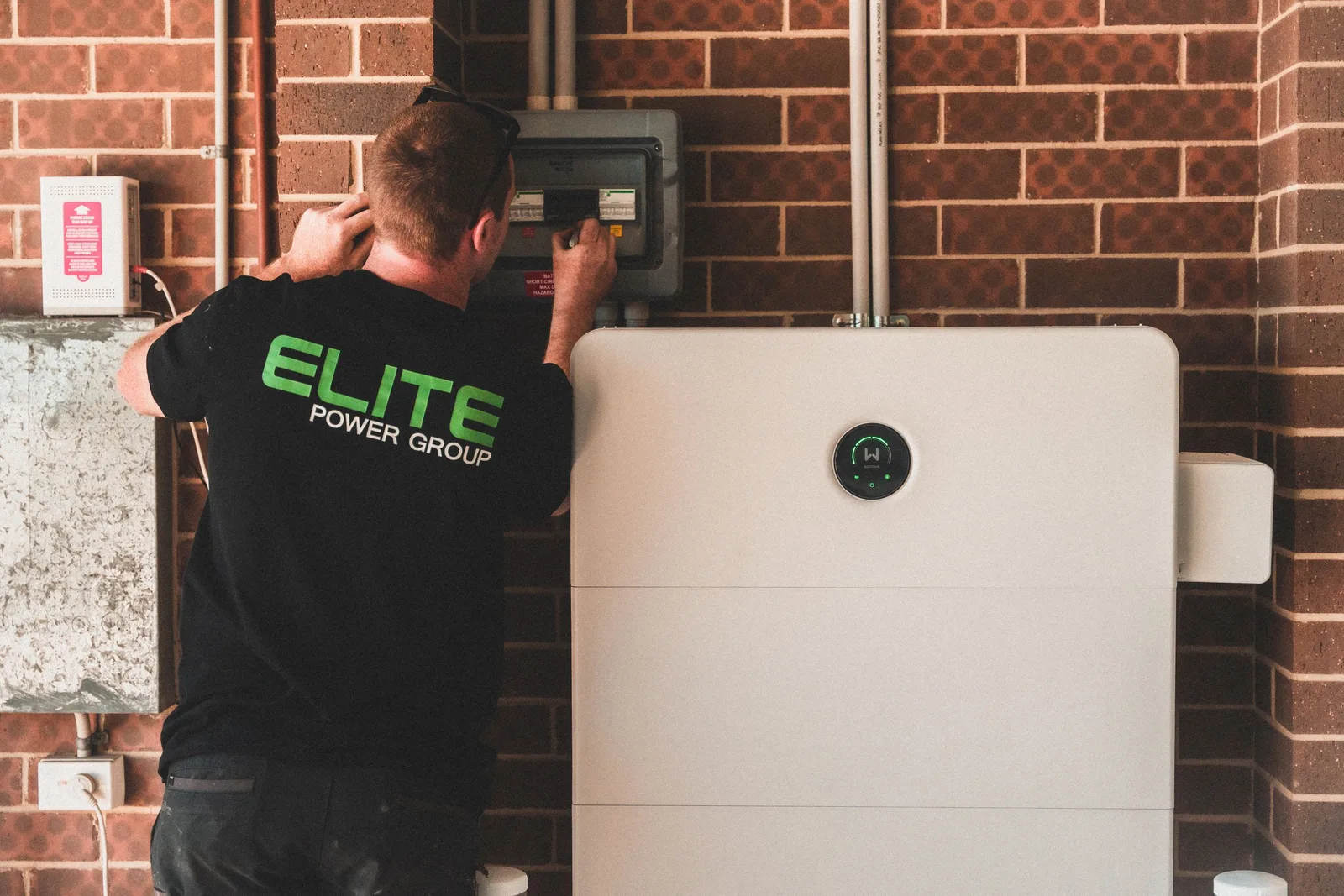
Trust needs visible installs. Photos of tidy wall mounts, garage units and clean cable runs, labelled with battery size, inverter type and what circuits were backed up, show craftsmanship. Safety notes on placement and clearances reassure buyers who have read frightening headlines about home batteries.
Forms should work like a first site visit. They should ask for existing system size, inverter brand, goals and timing, and let people attach photos. A confirmation should name the person who will call. Too many fields lose casual visitors, so we test the balance with real traffic.
A clear, repeatable process built around how battery and backup power customers search and decide.

We look at traffic, calls and forms to see where battery visitors leave. We map three journeys: solar owner adding storage, new system buyer and backup-focused homeowner. The output is a layout showing each page, form and phone prompt.

Pages open with a clear outcome, such as keeping essentials running in an outage or using more of your own solar at night. Next come a diagram, sizing basics, installation notes and warranty summary, ending with a request for a site check.

The form asks for existing solar size, inverter brand, goals, timing and a photo of the inverter label or switchboard. A confirmation names the person who will call. Spam protection runs quietly and a failed form raises an alert.

The site is built mobile-first with compressed images and light diagrams. We test pages and forms on real phones and common browsers, check every call button and run a speed review. Nothing goes live until the routes all deliver.

Phone, form and upload tracking is wired into your ad and search accounts, then checked source by source. Once the site is live, we study where visitors leave and adjust diagrams, wording or form length to hold more of them.
Pages that make it easy to understand the offer and take the next step
The mechanics behind Web Design for battery and backup power, explained plainly.
Backup diagrams are built as small vector images with readable text, so they load fast and stay sharp on any screen. This matters because many battery visitors are standing at a switchboard or garage wall looking at their own equipment.
Photo uploads are limited in size and checked for type, with a clear message if one fails. Files travel securely and sit where only your team can reach them. We test uploads on older phones so the form works for every visitor.
Backup copy sticks to general terms. Run time depends on size, loads and sun, so the site says so and avoids fixed hours. A review step with your technical lead catches claims that sound neat but could mislead a buyer.
Battery and Backup Power web design starts at $2,000. Scope depends on how many pages and features you need, and we agree it with you after seeing your current site.
What's included
The pages customers need to decide, laid out for phones first, with proof and a clear next step.
Forms and call buttons that work on every phone, with each request tracked to its source.
Image, speed and mobile checks before launch, and a short list of fixes afterwards.
Larger builds, such as online shops or booking systems, are scoped after discovery. Talk to us for a fit.
Think of the site as three stages: preparing the ground, going live and learning from what visitors do.
The old site and its figures are reviewed, install photos, brand lists and warranty terms are collected and page layouts and form fields are settled. Rough sketches of each journey reach you before design begins.
Pages are drafted, assembled and tried on handsets while you approve them one by one. Tracking goes in and your team tests forms, uploads and call buttons. Launch waits until each route produces a request.
The way visitors move guides edits, such as shorter forms where people give up, and new install entries are added as jobs finish. Traffic and market shape the outcome, and lead numbers cannot be promised.
Our team
Martin writes every audit and takes the first call. The same team stays on the account. 160+ businesses since 2010.
Founder, strategy and audits
Writes every audit and takes every first call. On your account from day one, running growth for SMEs since 2010.

Social and app development
Shapes social strategy and builds practical app experiences that turn attention into action.

SEO
Owns technical, local and content SEO so the right buyers find you when demand is highest.

Paid media
Plans and manages paid search and social campaigns around qualified leads.

Analytics
Connects tracking, attribution and reporting so decisions are based on revenue-quality data.

Design
Creates clear brand and conversion-focused design across landing pages, campaigns and product experiences.
Certified and experienced
Verified platform knowledge, 25+ years of hands-on experience, and an operating track record since 2010.
Get a free audit and we will show you where you are losing inquiries today.
Get a Free Audit arrow_forward
Reviewed by
Martin Marinov
Founder, HeyLead
Martin founded HeyLead and has worked in SEO and paid search for more than 20 years, across Google Ads, Microsoft Ads and organic search.