
Most irrigation companies are leaving their easiest repair leads to plumbers and solo testers. Every year, water utilities across the US send homeowners a letter or email saying their backflow test is due. Those homeowners search for help, and the companies that show up are rarely the ones who can also fix the broken heads, leaking valves and tired controller on the same property.
The fix is not complicated. Run backflow testing Google Ads as their own campaign, timed to when the notices land. Price the test as a simple entry offer. Then track which test visits turn into sprinkler repairs or startup work, so you know what each test is really worth.
This post walks through the setup step by step. Most of it can be done this week by you or whoever runs your ads and website.
What homeowners search after the utility notice lands
A backflow notice gives the homeowner three things: a due date, an official tone, and no clue what to do next. They don’t search for “irrigation contractor.” They search for what the letter told them to get done.
Expect searches like these:
- backflow test near me
- backflow testing [your city]
- annual backflow certification
- who can test my backflow preventer
- [utility name] backflow test
- certified backflow tester near me
These people are close to buying. They have a deadline, the test is required, and many have never hired anyone for it before. That makes them different from someone browsing for a new sprinkler system in the middle of winter.
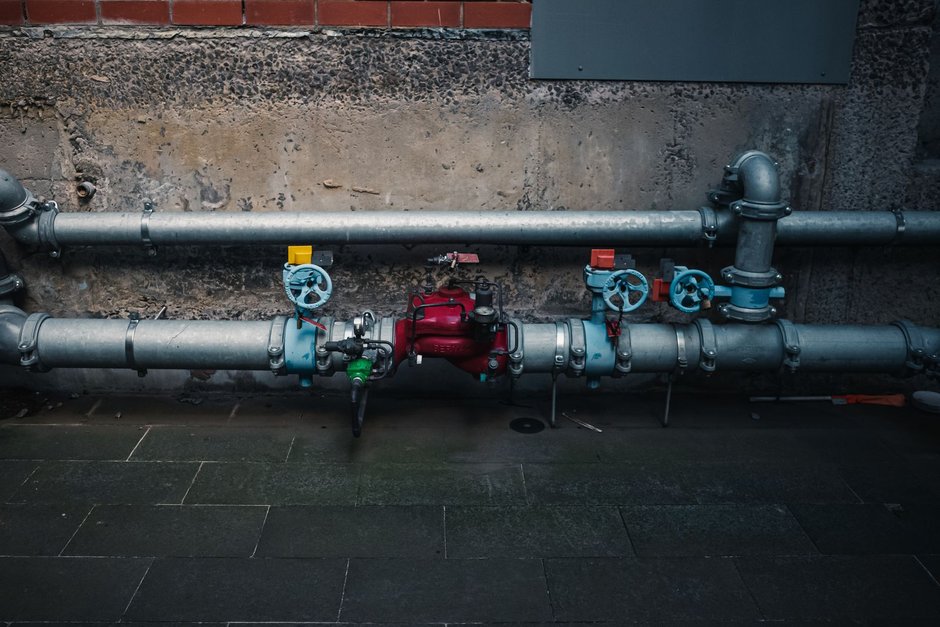
These searches also point straight at your irrigation system. In most homes, the backflow assembly sits on the irrigation line. To test it, your tech is standing in the yard next to the valve box, the controller and the heads. No plumber or solo tester is going to walk the zones afterward. Your tech can.
Pricing the test as the entry offer
The test is not where you make your money. It is how you get through the gate.
Pick a flat, simple price for a residential test and put it in the ad and on the landing page. Homeowners with a deadline want to know three things fast: what it costs, whether you file the results with their utility, and how soon you can come out. Answer all three before they have to ask.
A few things to decide before you launch:
- What the price includes. The test, filing the paperwork with the utility, and a quick system check while you’re on site. Say so plainly.
- What it doesn’t include. Repairs to the assembly if it fails, and any sprinkler work. Make clear that repairs are quoted on the spot, with no surprises.
- The free system check. This is the bridge to repair work. Offer to run each zone and flag problems while the tech is there anyway. Frame it as a favor, not a sales pitch.
Don’t race to be the cheapest tester in town. You are competing on “they handle the paperwork and know irrigation.” A homeowner who picks you because you also fix sprinklers is the customer you want.
Setting up backflow testing Google Ads, step by step
Here is the build. Each step is something you can finish this week.
-
Find out when your local utilities send notices. Call the water utilities in your service area, or check their websites, and ask how and when they notify residential customers. Some send notices on a fixed schedule, some base it on the anniversary of the last test. Write down each utility’s timing and whether testers submit results online or on paper. This sets your campaign calendar.
-
Get on the approved tester lists. Many utilities keep a list of certified testers that they hand to homeowners. Make sure each of your certified techs is registered with every utility you serve, and that your company name matches what you use in your ads and on your Google Business Profile. Use the NAP consistency checker to spot listings where your name, address or phone don’t match.
-
Create a separate campaign just for backflow. Don’t add backflow keywords to your main sprinkler repair campaign. A separate campaign gives it its own budget, its own schedule and its own reporting. That way it can’t eat your repair budget in spring, and you can see exactly what it produces.
-
Build tight keyword groups and a strong negative list. Use phrase and exact match for terms like “backflow test near me,” “backflow testing [city],” and “annual backflow certification.” That last one needs care. Testers renewing their own license search similar phrases. Add negatives like “course,” “class,” “training,” “exam,” “license renewal,” “jobs,” “salary,” “test kit” and “gauge.” Also add “commercial” or “fire line” if you only do residential irrigation.
-
Write ads that answer the deadline. Lead with the problem the homeowner has: “Backflow Test Due? We File With Your Utility.” Put your flat price in the ad, mention that you’re certified, and add a line about the free sprinkler check. Add call assets so mobile searchers can tap to call. Add sitelinks to your backflow page and your sprinkler repair page.
-
Send clicks to a backflow-only landing page. Not your homepage. The page should repeat the price, list the utilities you file with, explain what happens if the assembly fails, and offer a short booking form plus a tap-to-call button. Add one short section on the free zone check so the repair conversation starts before the tech arrives. Check that your ad links carry tracking tags. The UTM link builder makes this quick.
-
Turn budget up when notices go out and down when they don’t. Use your utility calendar from step one. Raise the daily budget in the weeks after notices land, and lower it once deadlines pass. Use ad scheduling so ads run when someone can answer the phone. A deadline-driven caller who hits voicemail usually tries the next company. If you’re unsure what to spend, the Google Ads budget calculator gives you a reasonable starting range.
-
Tag every backflow booking in your job system. Whatever you use to book jobs, create a lead source or job type called “Backflow - Google Ads.” This one tag makes the tracking in the next section possible.
If you’d rather have us build and run this, our Google Ads management for irrigation companies covers the campaign, the landing page and the tracking.
Turning a test visit into a repair or startup ticket
The campaign gets you in the yard. What your tech does next decides whether the campaign pays off.
Give your techs a simple routine for every backflow visit:
- Run every zone after the test. Look for broken or tilted heads, dry spots, geysers, weak pressure and stuck valves.
- Check the controller. Old timers, dead backup batteries and schedules nobody has touched in years are common, easy upsells.
- Write it down and show the homeowner. A short list of findings, with photos taken on a phone, is more persuasive than any sales pitch.
- Quote before leaving. If the fix is small, offer to do it now. If it’s bigger, send the quote the same day.
Timing helps. In colder parts of the country, backflow tests often line up with spring startup. If the homeowner hasn’t scheduled startup yet, the tech is already there to turn the water on. In the fall, the same visit can lead to a winterization booking.
Keep the tone helpful. The homeowner called you to meet a utility deadline. If they feel ambushed, they won’t call next year. If they feel looked after, you become their irrigation company.
Tracking which tests became sprinkler repairs
This is where most irrigation companies lose the plot. Google Ads will happily report that you got a lot of backflow leads. It won’t tell you which of those turned into repairs unless you feed that information back.
Start with the basics:
- Track calls and form fills as conversions. Set up call tracking from your ads and your landing page, plus form submission tracking, so Google knows which clicks produced a lead.
- Match each lead to a job. Every backflow booking gets the “Backflow - Google Ads” tag from step eight. When a repair, startup or controller job comes from that same customer, link it to the original lead.
- Review monthly. Count how many backflow tests you ran, how many led to added work, and what that added work was worth. That gives you the real value of a backflow lead, which is often well above the test price itself.
The next level is sending that information back to Google. With offline conversion imports, you can tell Google which leads became paid repair jobs. Over time, the campaign learns to find more homeowners like the ones who bought repairs, not just the ones who wanted the cheapest test. We cover how this works in our guide to offline conversion tracking.
Even a spreadsheet beats nothing. If you can tell whether a backflow lead last spring became a valve replacement in May, you can decide with confidence how much to spend next season.
Frequently asked questions
Should I bid on my local water utility’s name in backflow ads? You can include searches like “[utility name] backflow test” as keywords, since that’s how many homeowners search. Don’t use the utility’s name or logo in a way that suggests you are the utility or are endorsed by it. Phrase it as “We file test results with [utility name],” which is accurate and still helps the ad match the search.
What if the backflow assembly fails the test? Say upfront on your landing page that if the assembly fails, you’ll explain why and quote the repair or replacement on the spot. Failed tests are a natural source of repair work, and the homeowner still needs a passing result before the deadline. Make it easy for them to say yes while the tech is there.
Will people searching “annual backflow certification” actually be homeowners? Some will be, because utility notices often use that wording. Others will be testers looking to renew their own certification. Strong negatives like “course,” “class,” “exam” and “training” filter out most of the second group. Check your search terms report weekly at first and add new negatives as they show up.
Can my techs legally do backflow tests? Backflow testing usually requires a tester certification, and the rules vary by state and by utility. Check with your state and each local utility you serve before you launch ads. Only advertise testing in areas where your techs are certified and registered with the utility.
Should backflow leads count as sprinkler repair leads in my reports? Keep them separate at the lead stage, then link them to repairs at the job stage. If you lump them together, your reports will show cheap leads and hide which ones turned into real work. Separate tags let you see both the test volume and the sprinkler repair leads it produced.
Do I need a separate landing page if I already have a backflow page on my site? An existing page can work if it shows the price, the utilities you file with, a booking form and a tap-to-call button above the fold. Most general service pages don’t. A focused page built for the ad usually turns more clicks into bookings, and makes tracking cleaner.
Your next step
This week, call the two or three biggest water utilities in your service area and ask when they send residential backflow notices and how testers submit results. That one list tells you when to launch, which keywords to use and what to put on your landing page.
If you want help turning those notices into repair work, Call us+1 (415) 420-4059 or start with our free marketing audit.