

Martin
Founder, strategy and audits
Writes every audit and takes every first call. On your account from day one, running growth for SMEs since 2010.
A seller who has been refunding broken items wants a site that shows, quickly, which padded mailer will protect their product and how to try one. We design pages that put the item first, show padding and sealing clearly, and make a sample assortment or carton quote easy to request.
For bubble mailer suppliers who want a site where sellers find the right size for their item, see protection up close and ask for a sample or a carton price.
Context from how your customers search, compare and book.
Visitors arrive with an item in mind: a candle jar, a paperback, a phone case, a tub of cream. They want to know which mailer will fit and keep it safe. A site built around items, with a size beside each, answers faster than one sorted only by product codes.
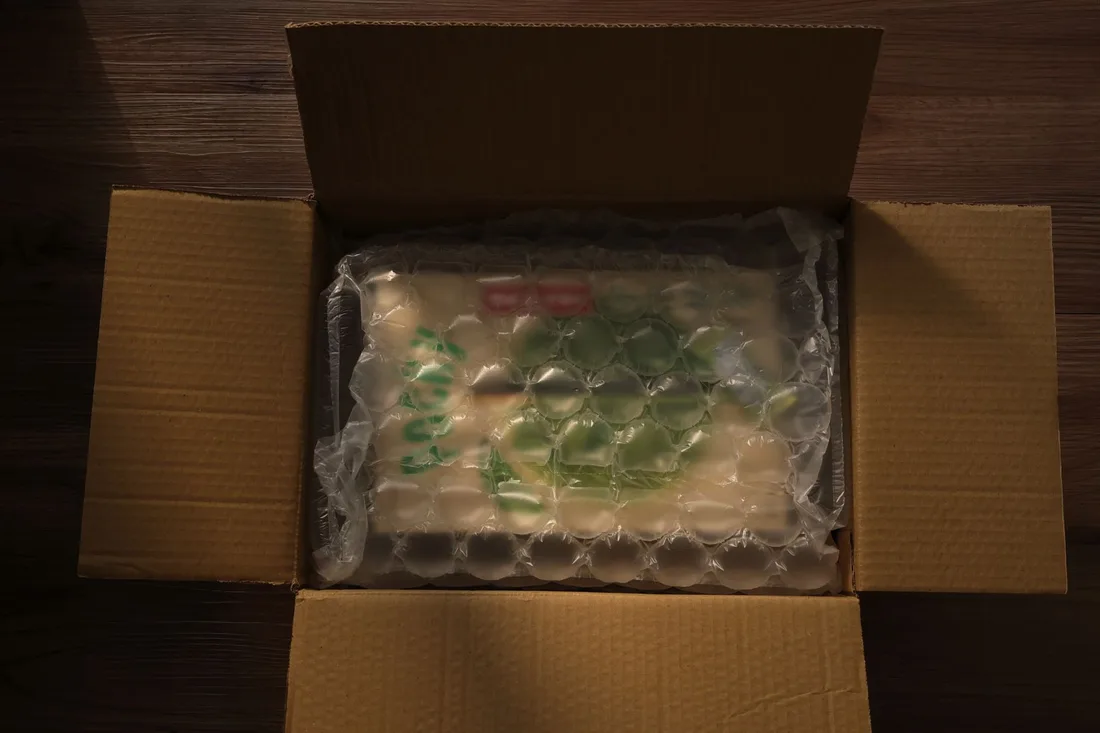
Proof of protection is the centrepiece. Close photos of the padding, an inside view, a packed example and a short clip of a sealed mailer being handled show what words cannot. Claims of drop resistance appear only when you can back them with a test you describe.
Material choices need room. Classic bubble, kraft with a bubble lining, paper padding and recycled film each differ in feel, look and disposal needs. A simple comparison table helps buyers choose, and honest wording about each material prevents complaints later. Buyers also like to hold a sample before they trust a table.
Ordering has two sides. A small seller wants a mixed sample pack with minimal typing. A growing brand wants a carton price and a printed option. The site should give each a clear door and a form of the right length, so neither group gives up halfway through.
A clear, repeatable process built around how bubble mailers customers search and decide.

We collect your sizes, outer layers, padding types and print options, then sketch how three kinds of visitor move through the site: item-first browsers, size-code reorderers and printed-mailer buyers. You approve the sketches before any design starts.

The home page offers a short row of items shipped, such as cosmetics, books and accessories, each linking to suited sizes. A size page opens with a packed-item photo, then measurements, padding, outer layer, closing strip and carton count.

A protection section carries close photos, a cutaway and a short clip, followed by a table comparing classic, kraft, paper-padded and recycled options. Wording stays inside what you can support, and any test is described plainly or left out.

A sample form asks item, preferred sizes and delivery place. A quote form asks size, carton count, print needs and monthly volume. A reorder form takes a size code and quantity. Each sends the full answer to whoever replies.

The build sits on a private staging site first. We shrink images, try every form on phones and desktops, wire up tracking and compare each size and price with your list. After launch we study where visitors stop and refine.
Pages that make it easy to understand the offer and take the next step

The mechanics behind Web Design for bubble mailers, explained plainly.
Pages lean on photos and short clips, so images are cut to the right size, saved in modern formats and loaded as they scroll into view. Video plays only when tapped. Spec tables stay as text. Everything is tried on a mid-range phone.
A simple selector lets a buyer pick an item and see the mailers that fit, with measurements beside it. It uses plain drop-downs that work with a thumb and records which items people choose, which tells you what sellers actually ship.
Forms use drop-downs for item, size and material plus a free notes box. Calls, forms and sample requests are tagged by page. Reports show which items and sizes bring serious requests and where visitors leave.
Bubble Mailers web design starts at $2,000. Scope depends on how many pages and features you need, and we agree it with you after seeing your current site.
What's included
The pages customers need to decide, laid out for phones first, with proof and a clear next step.
Forms and call buttons that work on every phone, with each request tracked to its source.
Image, speed and mobile checks before launch, and a short list of fixes afterwards.
Larger builds, such as online shops or booking systems, are scoped after discovery. Talk to us for a fit.
This is a focused build. The schedule leans mostly on how quickly specs, photos and carton details reach us.
You send sizes, materials, photos and minimums. We agree the page list and sketch home page, size page and forms. Together we decide which prices or tiers may be shown.
Pages are built on a private copy, forms and tracking are connected and phones are tested. You read each size page, gaps are fixed and the site goes live when every figure matches your list.
We watch which pages bring samples and carton quotes and where sellers drop out, then adjust layout and wording. No request numbers are promised; traffic and reply speed decide the outcome.
Our team
Martin writes every audit and takes the first call. The same team stays on the account. 160+ businesses since 2010.
Founder, strategy and audits
Writes every audit and takes every first call. On your account from day one, running growth for SMEs since 2010.

Social and app development
Shapes social strategy and builds practical app experiences that turn attention into action.

SEO
Owns technical, local and content SEO so the right buyers find you when demand is highest.

Paid media
Plans and manages paid search and social campaigns around qualified leads.

Analytics
Connects tracking, attribution and reporting so decisions are based on revenue-quality data.

Design
Creates clear brand and conversion-focused design across landing pages, campaigns and product experiences.
Certified and experienced
Verified platform knowledge, 25+ years of hands-on experience, and an operating track record since 2010.
Get a free audit and we will show you where you are losing inquiries today.
Get a Free Audit arrow_forward