
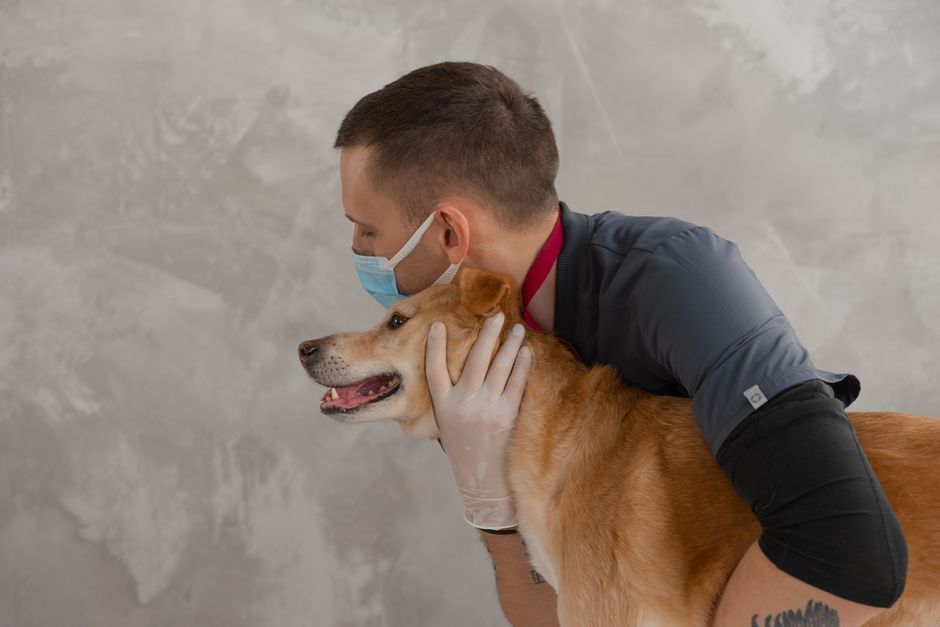
Soft lighting and smiling vets on the homepage photograph beautifully. They’re also the reason the enquiry goes quiet exactly when a frightened owner needs an answer in ten seconds, not ten scrolls.
Here’s what that silence actually costs a practice: the phone doesn’t ring for an hour while a search ad for “emergency vet near me” lands someone on a homepage with no number above the fold. An owner whose dog just ate a box of chocolates isn’t scrolling past a “Meet the Team” carousel looking for your out-of-hours line - they hit back and call whoever shows up next on the results page. CrUX data from May 2026 puts the share of UK web pages passing all three Core Web Vitals at just 55.9%, and a practice site loaded with uncompressed photography and an autoplaying video rarely makes that cut. Throwing more budget at Google Ads doesn’t fix any of that. A nicer-looking homepage, on its own, doesn’t fix it either.
The actual fix is structural, not cosmetic: match the page to the exact reason someone clicked, put the phone number where a thumb finds it without thinking, and be straight about VAT before the invoice does the talking for you. Get those three things wrong and everything else you spend on Google Ads or Meta is just funding the practice down the road.
Seven mistakes we keep finding on veterinary clinic landing pages in the UK
None of these are exotic. They’re the kind of thing that gets built once, quietly, and then never revisited because the practice is busy doing the actual job of treating animals.
Common mistakes
-
1One homepage carrying every search intent
A practice runs Google Ads for "emergency vet," "puppy vaccination," and "cat neutering near me" and sends all three to the same homepage. The searcher has to hunt for their reason for clicking, and most won't. Build a page per intent instead: an urgent-care page with triage language and a phone number at the top, a new-puppy page with the jab schedule and price band, a neutering page with the actual pre-op questions people type into Google at 11pm.
-
2The phone number buried under three scrolls
Someone in a panic wants one thing: to call or message right now. If your number sits in a footer under a staff bio section, they'll bounce to the next listing. Put the number in a sticky header, make it a tap-to-call link on mobile, and add one line of triage copy near the top: "If your pet is struggling to breathe or having a seizure, call now."
-
3Prices quoted ex-VAT because that's how the practice software exports them
Veterinary fees are standard-rated for VAT, and most practice management systems list prices net of the 20%. Someone copies that figure straight onto the website pricing page, a pet owner budgets for £45, and gets handed a bill for £54 at the till. That's a one-star review about "hidden costs" you didn't need to earn. Show VAT-inclusive prices for anything a member of the public sees, and say so explicitly.
-
4Advertising a prescription-only medicine like a retail product
A landing page or ad headline names a specific POM-V flea treatment, vaccine, or pain medication alongside a price, as if it were something you could just add to a basket. Under the Veterinary Medicines Regulations, POM-V products can't be advertised to the general public, and both Google and the VMD will act on it: disapproved ads, a complaint, or worse. Advertise the consultation and the programme ("annual flea and worm plan") rather than the named drug and its price.
-
5A contact form as the only route in
Eight fields, no WhatsApp, a submit button that says "Submit". Nobody mid-emergency is typing a paragraph into a web form. Add click-to-chat on WhatsApp, keep the non-urgent enquiry form to three fields, and leave the phone number visible on every version of the page, including the mobile one.
-
6Google Business Profile and the website telling two different stories
The site says open until 7pm; the Google Business Profile still says 6pm from last year's rota. A tracking number got added to the website but never updated on the profile. Someone searching "vet open now near me" with a limping dog in the back seat gets a different answer depending on which result they click, and Google quietly stops trusting either listing. Keep name, address, and phone number identical everywhere.
-
7A photo-heavy page that crawls on the signal owners actually have
Big hero images, an autoplaying welcome video, uncompressed team photography. May 2026 CrUX data shows only 55.9% of UK web origins pass Core Web Vitals across the board, and a page built this way is unlikely to be one of them. An owner on patchy 4G in a car park waits six seconds and leaves. Compress the images, lazy-load anything below the fold, and test the mobile version specifically, not just the desktop preview.
DIY tools for this section
Fix the compliance and trust issues before you touch the design
Not everything on that list is equally urgent, and trying to fix all seven at once is how a four-week project turns into a six-month one. Some of these are quiet reputation and compliance risks sitting on a live page right now. Others are polish that can wait for the next design refresh.
Fix this month: VAT-inclusive pricing, any POM-V product named in ad copy or on-page headlines, the phone number’s position on mobile, and the NAP mismatch between your website and your Google Business Profile. None of these need a redesign. A copywriter and a developer can fix all four in an afternoon, and they’re the ones carrying real financial or regulatory exposure if left alone.
-
Pull your current price list and mark anything shown ex-VAT.
-
Screenshot every live ad and landing page headline that names a specific prescription product.
-
Check your Google Business Profile hours and phone number against the website, side by side.
-
Open the mobile site and time how long it takes to find the phone number without scrolling.
Can wait until the next quote: separate landing pages for every service, a full Core Web Vitals rebuild, new photography, a proper WhatsApp widget with routing. These matter, but they’re investment, not exposure. Sequence them after the first batch, not alongside it, because a practice team trying to do both at once usually does neither well.
This is also where it’s worth watching what actually happens on the page rather than guessing. Session recordings on an emergency-care page will show you exactly how many people scroll straight past the phone number looking for a form that isn’t there, or abandon a booking widget on the third field because it asked for the pet’s microchip number before anything else. Tools like HeyLead Insights make that kind of on-site behaviour visible instead of assumed, which matters a great deal when every wasted click on a Google Ads campaign has a real cost per click attached to it.
If your current site treats every search the same way regardless of what someone actually typed, a landing page rebuild built around urgency and service type tends to pay for itself within the first few months of ad spend, simply by stopping the leak.
Get a free marketing audit. We review your search, ads, and landing pages and send back what to fix first.
Get a free audit
An illustrative fix: separating the out-of-hours page from the main site
Picture a two-site small animal practice somewhere in the Midlands, the kind with a loyal client base and a Google Ads account that’s been running the same generic search campaign for a couple of years. Every ad, whether the searcher typed “vet emergency” or “kitten vaccination schedule,” landed on the same homepage: a hero image of the car park, a warm paragraph about the practice’s history, and the phone number tucked into the footer next to the opening hours.
The fix wasn’t a redesign. It was separation. The out-of-hours and emergency traffic got its own page: a short triage line at the top, the emergency number in a fixed header that stayed visible while scrolling, and a single paragraph answering the question an owner actually has in that moment, which is usually “will you see us right now, and what will it roughly cost.” The routine-care traffic, vaccinations, neutering, health plans, kept going to a different page entirely, one built around price clarity and booking convenience rather than urgency.
The mechanism that changed things wasn’t more spend or cleverer keywords. It was that the page finally matched the moment someone clicked it in. The practice manager reported the out-of-hours line stopped going to voicemail as often during peak evening hours, and the front desk noticed fewer callers asking “is this even the right number” before explaining why they’d rung. That’s the kind of change that doesn’t show up as a dramatic swing in a monthly report, but it shows up every single evening the phone rings on the first try instead of the third.
What front-desk teams notice once the page matches the search
Real conversations with people who run the diary and the phones tend to surface the same small moments. These two are illustrative of what practices tell us once a page actually fits the search it was built for.
“We used to get people ringing to ask if we were open, even though the hours were right there on the site. Turned out they were landing on an old page our ads still pointed to. Nobody had checked it in over a year.” - Practice manager, small animal clinic
“The thing that actually changed how people booked wasn’t a new website. It was putting the price on the page in a number that matched what we charged at the till, VAT and all. The complaints about surprise costs just stopped.” - Owner, two-site veterinary practice
FAQs
Do we really need a different landing page for every service?
Not every service needs its own page on day one, but your highest-intent and highest-urgency searches do. Emergency care and new-client bookings are the two that usually pay for a dedicated page first, since they carry the clearest, most time-sensitive intent and the highest cost per click in Google Ads.
Can we advertise flea and worming treatments or vaccines directly?
You can advertise the service, the programme, and the consultation. What you can’t do under the Veterinary Medicines Regulations is advertise a named POM-V product and its price directly to the public. Keep the product name and dosage conversation inside the consult room, not the ad copy.
Should prices on our website include VAT?
Yes, for anything a pet owner reads. Practice management systems often export figures net of VAT because that’s useful internally, but a consumer-facing page should show the final number the client will actually pay, with a short note confirming VAT is included.
What’s the one thing to fix first if we can only change one page this month?
The out-of-hours or emergency page. It carries the most urgent, least patient traffic you get, and it’s usually the one still sharing a homepage with routine bookings and general information.
How do we know if our Core Web Vitals are actually a problem?
Run your site through a vitals checker on the mobile view specifically, not desktop. Most practices are surprised to find the issue is one or two oversized images rather than anything structural, and that’s usually a quick fix once it’s identified.
Putting it to work
Execution sprint
This week
- Pull 30-90 days of performance for veterinary clinics (Search Console, ads, CRM, or call logs - whatever you have).
- Flag the top leak: wrong intent, weak page, slow response, or dirty conversion tracking.
- Ship one fix on the highest-traffic money path (page, campaign split, or response rule).
- Run the free tools below on that same URL or account and log the findings.
Free tools for this sprint
Next 30 days
- Expand the fix to the next one or two money paths only after the first one shows cleaner bookings.
- Align creative, keywords, or content with the same offer the page now states.
- Review booked outcomes weekly; cut anything that still only produces unqualified volume.
Execution sprint
This week
- Pull 30-90 days of performance for veterinary clinics (Search Console, ads, CRM, or call logs - whatever you have).
- Flag the top leak: wrong intent, weak page, slow response, or dirty conversion tracking.
- Ship one fix on the highest-traffic money path (page, campaign split, or response rule).
- Run the free tools below on that same URL or account and log the findings.
Free tools for this sprint
Next 30 days
- Expand the fix to the next one or two money paths only after the first one shows cleaner bookings.
- Align creative, keywords, or content with the same offer the page now states.
- Review booked outcomes weekly; cut anything that still only produces unqualified volume.
Start this week by opening your Google Business Profile and your website side by side on your phone, the way a worried pet owner would at 8pm on a Tuesday. Check the hours match, the phone number matches, and that whichever page your emergency ads point to has that number visible without a single scroll. It takes fifteen minutes and it’s the fastest way to find out if you’re losing calls to a mismatch nobody’s looked at since it was set up.
If the gap between a frightened owner clicking your ad and actually reaching someone at the practice is the thing holding your enquiry numbers back, that’s exactly the kind of ongoing landing page and conversion work HeyLead handles for veterinary clinics, from the page build through to the tracking that tells you which pages are actually converting calls. Chat with us on WhatsApp.
Free marketing audit, or reach Martin directly:
Get a free audit Connect on WhatsApp · [email protected]