
Martin
Founder, strategy and audits
Writes every audit and takes every first call. On your account from day one, running growth for SMEs since 2010.
Homeowners judge a roofer's website the way they judge a quote: is it clear, is it local and does the firm look like it will still exist when a warranty claim comes in. A good roofing site answers those doubts quickly and makes booking an inspection simple. We design, build and test it, and make no promise of lead numbers.
For roofing contractors who need a site that shows finished roofs, explains repair and replacement plainly and makes an inspection request easy from a phone.
Context from how your customers search, compare and book.
Roofing visitors arrive worried. Someone may be looking at a ceiling stain with a bucket underneath, or at a quote that seems too high. A page that opens with long company history and no phone number loses them. The top of the page should say what you do, where, and how to book an inspection.
Proof needs to be visible and local. Galleries grouped by roof material, project write-ups naming the suburb, warranty terms in plain language and your insurance and manufacturer-approved status all carry weight. Reviews from nearby homes reassure far more than a rating badge with no detail.
Different roofs need different pages. A tile repair visitor, a person weighing metal against shingle and a building manager with a flat roof share nothing but the word roof. Separate pages let each see the right photos, materials, process and warranty, and they let search engines understand what you do.
The process should be spelled out. Owners fear surprise extras, so a page that walks through the inspection, the written scope, the schedule, weather delays, site clean-up and final check lowers the barrier. It also helps your office, because customers arrive with fewer questions and clearer expectations.
A clear, repeatable process built around how roofing customers search and decide.

We collect your best project photos, warranty documents, insurance details and customer comments, and review the current site for speed and gaps. We list which roofs and jobs deserve their own page and which questions your office answers most often.

We draft the home page, a page for each roof material and each major job, an area page for each place you serve and a process page. Every page has one main action: call, request an inspection or view a finished roof.

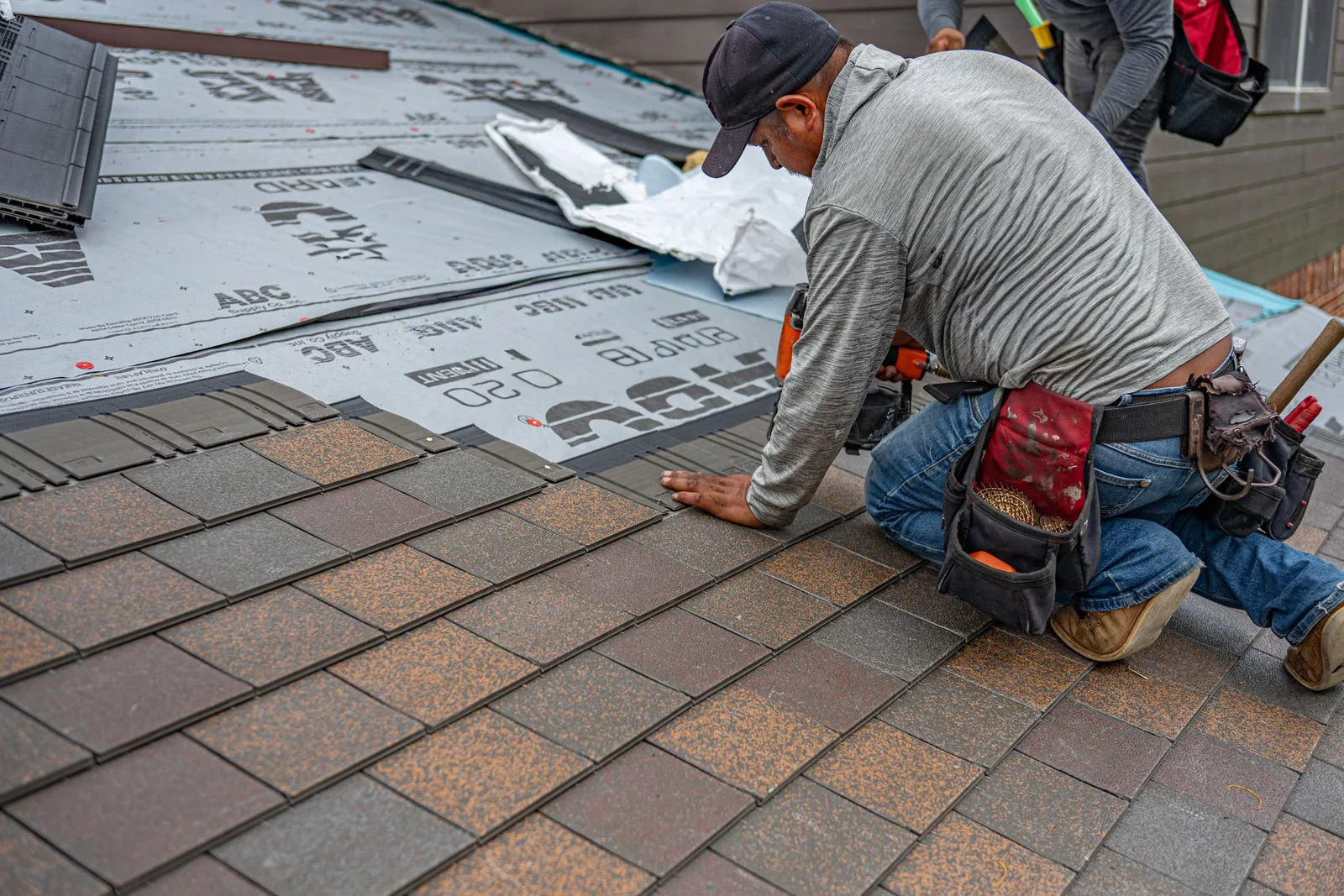
We write plain copy with your estimator, covering signs of damage, repair against replacement and what each inspection includes. Galleries use real photos grouped by material, with notes on the roof type, scope and suburb. No stock photos of roofs that are not yours.

The form asks for address area, roof type, leak signs and a good time to call, with optional photos. Click-to-call sits on every screen. Submissions alert your office and send an acknowledgement, and each source is tagged so you can see what pays.

We test on phones, tablets and slow connections, send test forms to confirm delivery and check that old addresses redirect. You review the final site, then we launch and watch the first weeks for broken links and slow pages.
Pages that make it easy to understand the offer and take the next step in Singapore
The mechanics behind Web Design for roofing, explained plainly.
Roofing sites carry many images. We size them for each screen, load them as people scroll and use modern formats where browsers allow. The result is a gallery that feels rich yet opens quickly on a phone held on a driveway.
A short page for leaks and weather damage sits ready, with a large phone number, a list of what to photograph and general advice on temporary cover. It can be linked from the menu or the home page within minutes after severe weather.
Each page has a clear title and heading matched to a real search, with markup for the business, services and reviews. Internal links join roof types, areas and proof. Old addresses are redirected so earlier links, listings and bookmarks keep working.
Roofing web design starts at S$2,000. Scope depends on how many pages and features you need, and we agree it with you after seeing your current site.
What's included
The pages customers need to decide, laid out for phones first, with proof and a clear next step.
Forms and call buttons that work on every phone, with each request tracked to its source.
Image, speed and mobile checks before launch, and a short list of fixes afterwards.
Larger builds, such as online shops or booking systems, are scoped after discovery. Talk to us for a fit.
A good build depends on photos and facts from your team. Once those are in, pages take shape quickly and the site improves with use.
We gather photos, warranty terms, insurance details and customer comments, agree the page plan and set up tracking. You tell us which roof jobs to push and which areas to leave out.
Pages are written and built, then shown to you on a phone and desktop. Your estimator checks the roof detail, we test the forms and fix issues, and the site launches after your approval.
We read form and call data, add new project photos after each season, improve pages that lose visitors and add pages for new materials or areas. Visits grow gradually, and no result is promised.
Our team
Martin writes every audit and takes the first call. The same team stays on the account. 160+ businesses since 2010.
Founder, strategy and audits
Writes every audit and takes every first call. On your account from day one, running growth for SMEs since 2010.

Social and app development
Shapes social strategy and builds practical app experiences that turn attention into action.

SEO
Owns technical, local and content SEO so the right buyers find you when demand is highest.

Paid media
Plans and manages paid search and social campaigns around qualified leads.

Analytics
Connects tracking, attribution and reporting so decisions are based on revenue-quality data.

Design
Creates clear brand and conversion-focused design across landing pages, campaigns and product experiences.
Certified and experienced
Verified platform knowledge, 25+ years of hands-on experience, and an operating track record since 2010.
Get a free audit and we will show you where you are losing enquiries today.
Get a Free Audit arrow_forward
Reviewed by
Martin Marinov
Founder, HeyLead
Martin founded HeyLead and has worked in SEO and paid search for more than 20 years, across Google Ads, Microsoft Ads and organic search.