
Most wisdom tooth pages lose patients because they say “MediSave claimable” and stop there. The patient reading that line can’t tell whether their case qualifies, how much will come out of MediSave, or how much they will still pay in cash. So they leave and call three other clinics to ask.
The fix is a short, clear explainer. It separates surgical removal from simple extraction, walks through cash versus MediSave in plain terms, and points to official CPF and MOH sources for the numbers. Clear wisdom tooth surgery MediSave copy answers the money question before the patient has to ask it. That makes your consult request feel like a safe next step instead of a gamble.
Below is how we would rewrite the page, step by step, with copy you can adapt this week.
What patients need from a wisdom tooth surgery MediSave section
People searching “wisdom tooth surgery cost singapore” are rarely browsing. Usually something hurts, or their dentist has just told them a tooth is impacted and needs to come out. They have two questions: “Will MediSave cover this?” and “What do I pay on the day?”
A vague page fails both. Lines like “MediSave may apply” or “affordable payment options” read as a dodge. A patient who has heard from a friend that MediSave paid for their surgery, and from another friend that it paid nothing, needs you to explain why both can be true.
Your page has to do three jobs:
- Explain the difference between surgical removal and simple extraction, in words a patient understands.
- Show which parts of the bill MediSave can touch and which parts are usually cash, without quoting withdrawal limits that may change.
- Give a next step that is honest about the fact that eligibility is confirmed at the consult, not on the website.
Surgical removal versus simple extraction: the line your page must draw
This is where most of the confusion lives, so it deserves its own block of copy near the top of the page.
MediSave can generally be used for surgical procedures listed in MOH’s Table of Surgical Procedures. Surgical removal of an impacted wisdom tooth, where the dentist or oral surgeon cuts the gum and may remove bone or section the tooth, falls into this category. A simple extraction of a tooth that has fully come through and can be lifted out is a routine dental procedure. MediSave generally does not cover it.
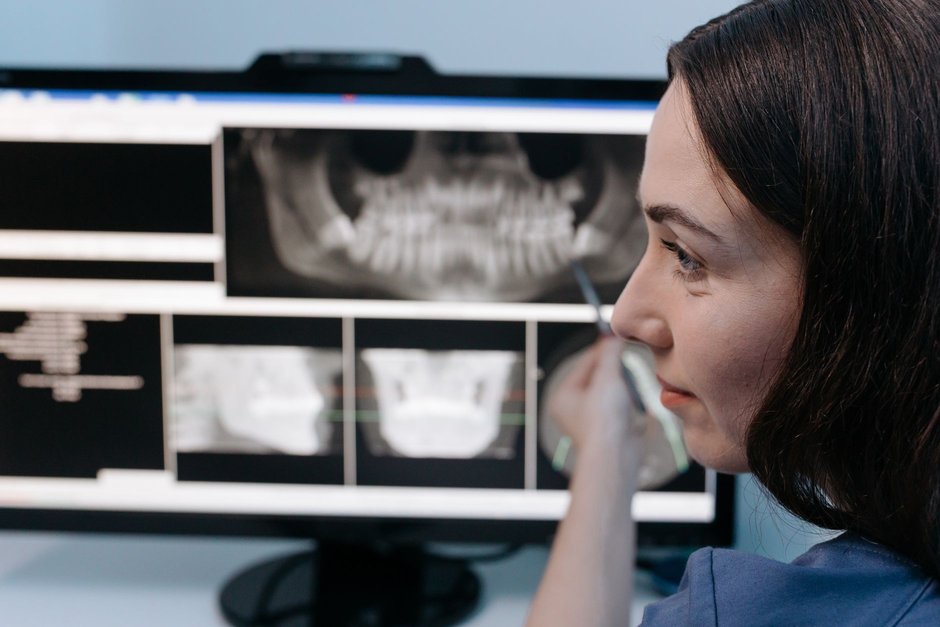
Patients don’t know which one they need. Your page should say so plainly, then explain how they find out: the dentist examines them and takes an X-ray, usually a panoramic X-ray, to see the tooth’s position and roots.
Here is sample copy you can adapt:
Is my wisdom tooth removal claimable under MediSave? It depends on how the tooth needs to come out. If your wisdom tooth is impacted or partly buried and needs surgical removal, MediSave can usually be used toward the surgery. If the tooth has fully erupted and can be removed with a simple extraction, MediSave generally does not apply. Our dentist will confirm which one you need after examining you and reviewing your X-ray.
Keep the wording careful. Don’t promise that every impacted wisdom tooth removal will be claimable. The final call depends on the procedure code, the clinic’s MediSave approval and the patient’s account.
Rewrite the page in seven steps
This is the core of the job. Each step is small enough for you or your web person to finish in a sitting.
-
Audit what the page says about MediSave today. Open your wisdom tooth page on your phone and read it as a patient would. Highlight every sentence that mentions MediSave, cost, payment or “claimable.” If the only mention is a badge or one line in the footer, you have found the problem. Note any sentence that implies MediSave covers everything. That needs to go.
-
Add a two-column “surgical vs simple” explainer above the fold or just below it. One column describes surgical removal of an impacted tooth: gum incision, possible bone removal, often done under local anesthesia or sedation, usually claimable. The other describes simple extraction: tooth fully visible, lifted out, generally not claimable. Use plain words and add one line under both: “Your dentist confirms which applies after an X-ray.”
-
Write a cash versus MediSave walkthrough without numbers. List the parts of a typical visit in the order the patient meets them, and say how each is usually paid. For example:
- First consultation and X-ray: usually paid in cash or by card.
- Surgical removal: MediSave can usually be used up to the withdrawal limit for that procedure, with any balance paid in cash.
- Medication and follow-up review: check with our team, as these may be paid separately.
Then add: “We’ll give you an itemized estimate after your consult, showing the MediSave portion and the cash portion.” Before publishing, ask your billing team to confirm this matches how your clinic actually bills.
-
Send readers to official sources for limits and rules. Don’t type withdrawal limits onto your page. They are set by the authorities, depend on how the procedure is classified, and can be revised. Write something like: “MediSave withdrawal limits for surgical procedures are set by the Ministry of Health. You can check the current rules on the CPF Board and MOH websites.” Link to the MediSave pages on cpf.gov.sg and moh.gov.sg. This one move answers the “medisave dental claim limit” question honestly and saves you rewriting the page every time a limit changes.
-
Explain whose MediSave can be used. Patients often don’t know they may be able to use an immediate family member’s MediSave, such as a parent’s or spouse’s, subject to CPF’s rules. Students with impacted wisdom teeth are a big part of your audience, and their parents are the ones reading. Add one short paragraph saying family MediSave may be used, list what the patient should bring to the consult to start the claim, and link to CPF for the details.
-
Add an FAQ block and mark it up. Put the questions your front desk hears every week on the page: “Why was my friend’s removal not claimable?”, “Do I pay anything upfront?”, “Can I use my parent’s MediSave?” Then add FAQ structured data so search engines and AI answer tools can read the questions cleanly. Our free FAQ schema generator builds the code for you to paste in.
-
Rewrite the meta description and the call to action. Your search snippet should promise the answer the page now gives: “Find out if your wisdom tooth removal is MediSave claimable and what you may pay in cash. Book a consult to confirm.” Run it through the meta description checker to make sure it isn’t cut off. Then replace “Book now for a pain-free experience” with the compliant call to action in the next section.
If you’d rather have this built properly, our landing page design for oral surgery practices covers the explainer, the FAQ and the booking flow together.
Keeping the consult call to action inside MOH advertising rules
Healthcare advertising in Singapore is regulated, and dental clinics are expected to keep advertising factual and not misleading. Before you publish, check the current MOH guidance on advertising by licensed healthcare providers and the Singapore Dental Council’s ethical code. In general, that means:
- No patient testimonials or reviews pasted onto the page as endorsements of your treatment.
- No superlatives or comparisons, such as “best oral surgeon,” “most painless,” or “cheaper than other clinics.”
- No inducements, such as “free consult if you book this week” or “MediSave covers everything, pay nothing.”
- No guarantees of outcome, such as “zero swelling” or “completely pain-free.”
What you can do is state facts and make the next step easy. A compliant call to action looks like this:
Not sure if your wisdom tooth needs surgical removal? Book a consultation. Our dentist will examine you, review your X-ray, and explain whether MediSave can be used for your case before any treatment is scheduled. [Book a consultation] [Message us on WhatsApp]
Two buttons work well here. Plenty of patients in Singapore would rather send a quick WhatsApp message than fill in a form or call during office hours, especially younger patients and parents arranging care for them. Make sure both buttons are tracked so you know which one brings booked consults, not just clicks. Our high-converting landing pages work includes that tracking setup.
One more point: MediSave can only be claimed through clinics and dentists approved to make MediSave claims. If your clinic is approved, say so in a plain sentence. If only some of your dentists are, avoid wording that suggests every visit qualifies.
Frequently asked questions
Should I put MediSave withdrawal limits on my wisdom tooth page? We advise against it. Limits are set by MOH, depend on how the procedure is classified, and can change. A number that goes out of date is misleading, which is exactly what MOH advertising rules want you to avoid. Link to CPF and MOH instead, and give each patient an itemized estimate after the consult.
How do I explain that the consultation and X-ray are usually not claimable without putting people off? Be upfront and put it in order. Patients get annoyed by surprise charges, not by charges they were told about. A simple line like “Your first consultation and X-ray are paid separately; if surgical removal is needed, MediSave can usually be used toward the surgery” sets the right expectation and builds trust.
Can I say “MediSave claimable” in my Google Ads or page headline? You can state it as a fact if your clinic is approved and the procedure qualifies, but qualify it. “Surgical wisdom tooth removal: MediSave claimable for eligible cases” is accurate. “Wisdom tooth removal fully covered by MediSave” is not, because simple extractions generally aren’t claimable and many patients still pay a cash balance.
Do I need separate pages for impacted wisdom tooth removal and simple extraction? Not always. One strong page with a clear surgical versus simple explainer usually serves the patient best, because most of them don’t know which they need yet. If you run ads for both, a dedicated impacted wisdom tooth removal page can match the search more closely. Just keep the MediSave explanation identical on both pages.
Can I show patient reviews next to the MediSave section to build trust? Be careful. MOH’s advertising rules for healthcare providers restrict testimonials, so pasting patient quotes or star ratings onto your treatment page is risky. Build trust with facts instead: who performs the surgery, what happens at each visit, how billing works, and how quickly patients can reach you.
What should my front desk say when a patient asks about MediSave on WhatsApp? Use the same words as the page. Give the team a short script: explain surgical versus simple, say eligibility is confirmed after the X-ray, mention that family MediSave may be usable under CPF rules, and invite them to book a consult. When the page and the chat say the same thing, patients trust both.
Your next step
This week, open your wisdom tooth page, find every sentence about MediSave and cost, and replace them with the surgical versus simple explainer from step 2 and the cash versus MediSave walkthrough from step 3. Then ask your billing team to check the wording before it goes live. If you’d like a second pair of eyes on the rewrite or want us to build it for you, Chat with us on WhatsApp.