
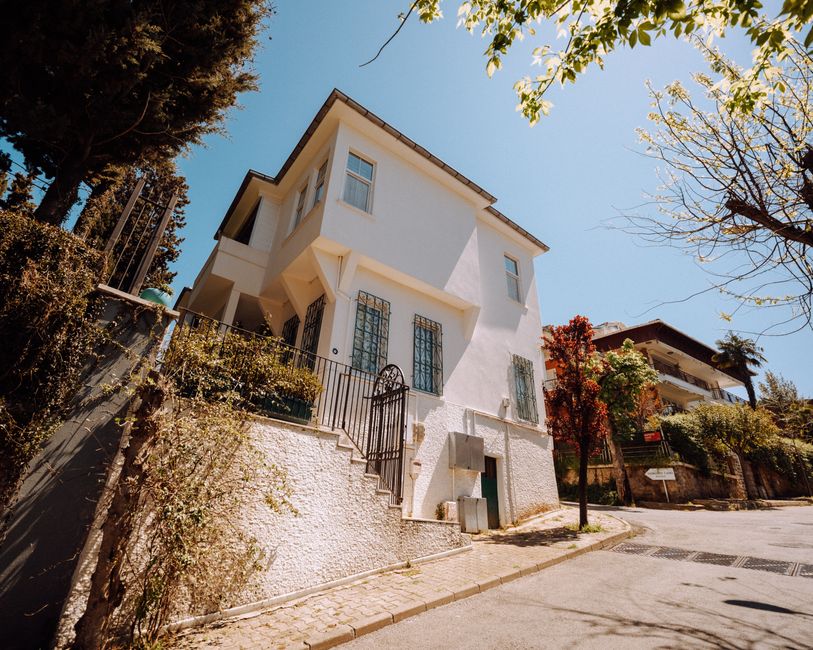
An agent signs a new listing at six on a Tuesday evening, and the first thing they do isn’t open your website. They open WhatsApp, scroll to whichever photographer replied fastest last time, and send a one-line message: can you shoot this Thursday, condo at Bishan, before 4pm light goes.
That message lands in a chat window with thirty or forty other threads sitting above it. No listing address is attached to a source. No record exists of whether this agent found you through a Google search, an Instagram story, a referral from another agent, or your Google Business Profile. By the time the shoot happens and the invoice goes out three weeks later, with GST added if you’re registered, nobody in the studio can say which channel actually paid for itself. Spending more on Google Ads or boosting another Instagram post doesn’t fix this. It just pushes more unopened threads into the same undifferentiated inbox, and more quotes that never turn into a booked shoot.
Here’s the part most studios miss: the unit worth tracking isn’t “the enquiry.” It’s the pairing of a WhatsApp thread, a listing address, and the channel that put your number in front of that agent in the first place. Capture that triple cleanly, at the point of first contact, and you can finally answer the question every owner asks eventually: which channel is actually booking shoots, and which one is just generating chat.
What has to be true before you start logging a single WhatsApp thread
Get the basics wrong here and the rest of this guide produces nothing but a tidier mess. The first thing most studios need to fix is using a personal phone number for business WhatsApp. If you’re still running enquiries through a personal account, switch to WhatsApp Business. It’s free, it adds labels and quick replies, and it means the number on your Carousell listing, your Instagram bio, and your Google Business Profile can actually be managed as a business asset rather than mixed in with your own group chats and family messages.
Second, your Google Business Profile needs to be claimed, verified, and showing a number that matches everywhere else your business appears. If you’re GST-registered, your invoicing system should already be producing proper tax invoices with the listing address on them, because that address is the field you’ll eventually use to match an invoice back to a lead. If your bookkeeping and your enquiry log live in two completely separate worlds, right now, with no shared field between them, that’s the gap this whole setup is designed to close.
Third, and this one gets skipped constantly: agree, as a team, on what counts as a qualified enquiry versus a price check. “Can you shoot a 4-room flat in Yishun this Friday” with a real address is qualified. “How much for photos” with no listing attached is a price check, and it should get logged differently, because mixing the two inflates your enquiry count without telling you anything useful. While you’re at it, decide whether you’ll capture property type at intake. It matters more in Singapore than it looks: a condo shoot almost always needs MCST access coordination, which can add a day or two before the shoot even happens, while an HDB resale flat can usually be locked in within 24 hours. If your intake log doesn’t separate the two, you’ll never be able to tell which segment actually converts faster or pays better per channel.
Turning a shared WhatsApp number into a lead log you can trust
Once the basics are in place, the build itself isn’t complicated. It’s a sequence of small, specific changes to how a message gets from “someone tapped a link” to “this shoot is on the calendar and invoiced.” Do these in order and you’ll have a working version inside a week.
How-to
- 1Stop pasting the same bare WhatsApp number everywhere. Instead, create a separate click-to-chat link for each channel using wa.me/yournumber with a pre-filled text parameter, so the link on your Google Business Profile reads differently from the one in your Instagram bio or on a Carousell listing.
- 2Build each pre-filled message to include a short source tag the agent never has to type, for example "Hi, I found you via Instagram" or "Hi, found you via Google search." It reads naturally to them, but it means the source is sitting in the first line of every thread you receive.
- 3Add UTM parameters to the page or post that hosts each link (your website gallery page, your Instagram bio link, your Google Business Profile website field) so you can also see click volume per channel in your analytics, separate from what actually reaches WhatsApp.
- 4If your click-to-chat buttons live on your own website, set up a Google Tag Manager trigger that fires a GA4 event when someone taps "Message us." This tells you how many people started the WhatsApp journey from your site before you ever see the thread itself.
- 5Build one shared intake log, a spreadsheet is fine to start, with mandatory fields filled in on the first reply: agent name, agency, listing address, property type (HDB, condo, landed), source tag from the message, and whether this is a repeat client.
- 6Tag every thread within the first two replies as one of three things: booked, quoted (price given, no date confirmed), or price check (no listing, no real intent). Don't let "quoted" threads sit untagged for days; that's where most leads quietly die.
- 7Set up a separate call tracking number for your Google Business Profile listing if phone enquiries are meaningful for you. Even a basic forwarding number lets you log calls in the same intake sheet instead of losing them entirely.
- 8Once a shoot is confirmed, write the invoice using the same listing address that's in your intake log. This is the single field that lets you join "where this lead came from" to "what this shoot was worth," weeks or months later.
- 9Reconcile weekly rather than monthly. Pull your calendar and your invoices, match them back to intake log entries, and mark which source produced an actual paid shoot versus a quote that went quiet. A monthly cadence buries the problem for too long to act on it.
- 10Build a simple running total by source and by month: enquiries, quotes, booked shoots, invoiced revenue. Once you can see cost per booked shoot by channel, not just cost per enquiry, you'll know which channel to feed and which one to quietly cut.
Pulling this together by hand is manageable for a two or three-person studio for a while. Once you’re running multiple channels and multiple photographers, matching WhatsApp threads to invoices becomes its own part-time job. That’s exactly the kind of connective work our CRM integration projects at HeyLead are built to take over, so the intake log and your invoicing system talk to each other automatically instead of relying on someone remembering to update a spreadsheet every Friday.
Free tools to check your side of the trail
Get a free marketing audit. We review your search, ads, and landing pages and send back what to fix first.
Get a free audit
Where Singapore studios lose the thread: condo access, forwarded DMs, and the invoice gap
The most common mistake is also the simplest: the same bare WhatsApp number printed on the Carousell listing, the Instagram bio, the Google Business Profile, and the back of a business card. With one number everywhere, attribution becomes a guessing game you play weeks after the fact, trying to remember whether that Tuesday enquiry came from the Instagram story you posted or the Google search someone ran at midnight. It’s not that owners don’t care about this. It’s that nobody built the habit of asking “where did you find us” before replying with availability.
Condo shoots create a second, quieter failure. An agent messages about a listing that needs MCST approval for lift booking and lobby access, and the thread stretches to fifteen or twenty messages over two or three days while dates get confirmed, access codes get shared, and the shoot gets rescheduled once because the lift booking fell through. Somewhere in that long thread, the fields that matter, confirmed date, final address, source, never get written down anywhere outside the chat itself. HDB shoots rarely have this problem; access is usually straightforward and the whole exchange might be five messages. If your intake log doesn’t separate HDB from condo, you can’t see that condo listings take longer to close but might pay more, or that one channel is sending you mostly condo enquiries while another sends mostly HDB. That’s useful information you’re currently throwing away.
The third break happens between marketing and money. An agent might DM you on Instagram first, then follow up with a call, then confirm by WhatsApp, and if nobody’s matching those against each other by listing address, you’ll either count the same lead three times or lose it entirely when the threads don’t obviously connect. Meanwhile your GST invoice gets raised in accounting software that has never heard of your intake log. Six months from now, when you want to know which channel actually produced revenue rather than just chat volume, that invoice sits disconnected from the enquiry that created it, and the answer is simply unavailable.
What studio owners say once they start tagging their WhatsApp links
“We used to think every WhatsApp message was worth chasing. Now we only chase the ones that tell us the address and the date in the first line, the rest are price checks that were never going to book.” — Owner, two-person real estate photography studio, Singapore
“The number that actually told us anything was the one on our Google Business Profile. Once we gave Instagram its own link, we found out Instagram was mostly agents asking for discounts, not bookings.” — Studio manager, real estate photography business, Singapore
FAQ
Do I need a separate WhatsApp number for every channel, or just separate links? Separate links are usually enough. One WhatsApp Business number can sit behind multiple click-to-chat links, each with its own pre-filled text or UTM-tagged source page. You get the attribution without managing three different phone numbers.
What about agents who call instead of messaging? Put a call tracking number on your Google Business Profile and log those calls in the same intake sheet as your WhatsApp threads, using the same fields: agent, agency, listing address, property type, outcome.
An agent messages, then calls, then DMs about the same listing. How do I avoid counting it three times? Use the listing address as your matching key. The moment you see the same address appear twice in your log, tag it as a duplicate and keep whichever channel made first contact as the source of record.
We’re already using a CRM. Does any of this still matter? Yes, because a CRM only organizes the data you feed it. If the source tag, the listing address, and the property type aren’t captured at the first reply, a CRM just becomes a tidier place to store the same incomplete information.
How long before the log is reliable enough to actually act on? Give it a few full weeks, long enough to cover both a typical HDB turnaround and a slower condo cycle with MCST coordination, before you draw conclusions about which channel is worth more budget.
Putting it to work
This week, pull up your business WhatsApp chat list going back 30 days and manually tag the last twenty or thirty threads with where that agent actually found your number, Carousell listing, Google Business Profile, Instagram bio, or referral. It takes about an hour. You’ll almost certainly find weeks of enquiries sitting with no source attached at all, and that gap, not your ad spend, is usually the first thing worth fixing.
The exact problem this guide is built around, the gap between an agent’s WhatsApp message and an invoiced, GST-ready shoot on your books, is the recurring work HeyLead takes off a studio owner’s plate: building the tracked links, the intake log, and the reconciliation that connects every channel to the shoots it actually produced. Chat with us on WhatsApp.
Free marketing audit, or reach Martin directly:
Get a free audit Connect on WhatsApp · [email protected]