
Most electrician websites in Singapore lose emergency calls because the page a panicked homeowner lands on is a generic list of services, not proof that you can fix their power trip tonight. When someone searches “power trip electrician Singapore” from a dark HDB flat, they are not reading about your full range of services. They want three answers fast: are you licensed, are you near me, and can you come now.
If your page does not answer those three questions on the first screen of a phone, the customer goes back to Google and calls the next result. You already paid for that click or that ranking, and you lost the job.
Below is the checklist we use when we review emergency pages for electricians. Go through it with your own page open on your phone. Each item covers what good looks like and how to fix it if yours falls short.
What a power trip electrician Singapore homeowners call actually shows
Think about the person on the other end. The DB box tripped, they flipped the switch back up, and it tripped again. The fridge is off. Maybe the kids are asleep in a hot room with no fan. They are on their phone, low on battery, in the dark.
That person scans. They do not scroll through your company history. They look for a few signals and decide within seconds whether to tap “call” or “WhatsApp.”
The page that wins that moment is usually not the prettiest one. It is the one that clearly says, near the top:
- We handle power trips in HDB flats and condos
- We are licensed by EMA, and here is the license number
- We cover your area and can come tonight
- Here is what the visit costs to start
- Tap here to WhatsApp us your postal code
Everything else on the page supports those points. If something does not, it can move lower or go to another page.
Proof you are a licensed electrician in Singapore
Homeowners in Singapore know electrical work should be done by a licensed electrical worker. Many have also heard stories about handymen doing wiring they should not touch. Your page has to remove that doubt immediately.
Item 1: EMA license number visible above the fold
What good looks like: A short line near your headline, such as “EMA Licensed Electrical Worker, License No. [your number].” It appears on the mobile view without scrolling, not hidden in the footer.
How to fix it: Add the license number as plain text, not inside an image, so customers can copy it and search engines can read it. If several electricians work under your company, show the license details of the person responsible, and make sure the name matches what customers see elsewhere.
Item 2: A way to verify the license
What good looks like: A sentence telling customers they can check your license on EMA’s website, ideally with a link to the relevant page. That small gesture says “we have nothing to hide.”
How to fix it: Add one line under the license number with the link. Customers who doubt you will check. Customers who trust you will not bother, but they will notice you offered.
Item 3: Real faces and real vans
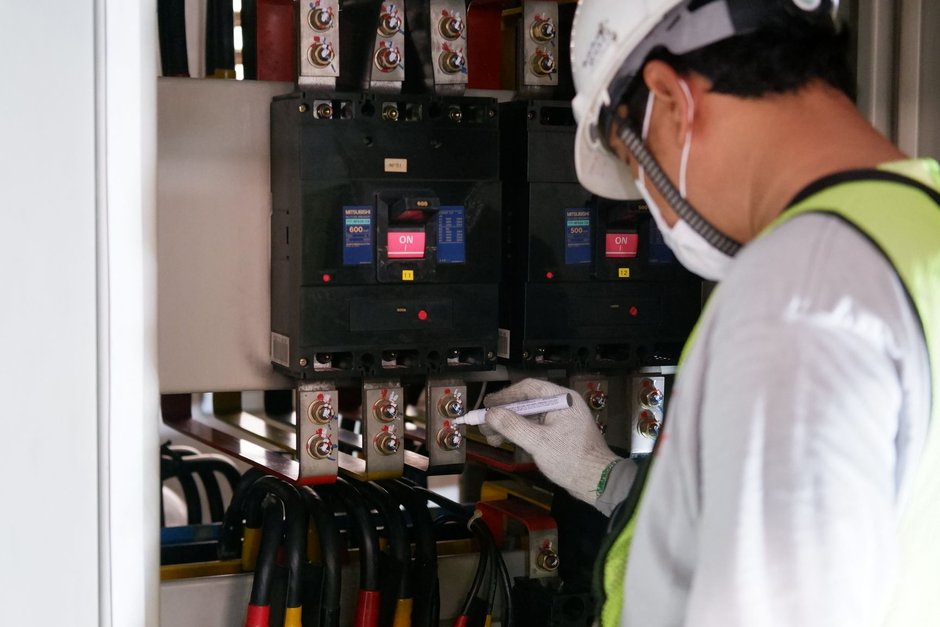
What good looks like: A photo of your actual team or your actual vehicle with your company name on it. Not a stock image of a model in a hard hat.
How to fix it: Take a clear phone photo of your electrician in uniform beside your van or at a DB box. One honest photo beats five glossy stock shots.
Location, timing and price: can you come tonight, and what will it cost?
This is where most pages go quiet. They say “fast service” without saying where, when, or how much.
Item 4: Areas you cover, named the way customers say them
What good looks like: A short list of estates and regions you serve, such as Tampines, Bedok, Jurong West, Woodlands, Punggol, Ang Mo Kio. Customers recognize their own town name faster than “islandwide.”
How to fix it: If you truly cover the whole island, say “islandwide” and still list the estates where you do the most jobs. If you only cover certain regions, be honest. A customer in Woodlands who calls a team based in the east and waits a long time will leave a bad review.
Item 5: Clear hours, and what “24 hours” means for you
What good looks like: If you advertise as an electrician in Singapore 24 hours a day, the page says so plainly and the phone actually gets picked up at 2am. If you stop at midnight, say that instead.
How to fix it: Match your page, your Google Business Profile hours and your ads. Google Business Profile lets you set your hours to “Open 24 hours” if that is true. If your page says 24 hours but your profile shows closed, customers notice and so does Google.
Item 6: Callout or transport fee shown upfront
What good looks like: A line that states your callout or transport fee, or at least how it works, such as “Callout fee covers travel and diagnosis. We quote before any repair work starts.” If you charge more after midnight or on public holidays, say so.
How to fix it: Put the fee structure right under your call buttons. You do not have to list every repair price. You just need to stop the customer from worrying about a surprise bill. Hidden fees are one of the main reasons people hesitate to call a stranger at night.
Item 7: What happens after they contact you
What good looks like: Three short steps. You WhatsApp us your postal code and what tripped. We confirm the arrival window. Our licensed electrician finds the fault and quotes before fixing.
How to fix it: Write it in plain words. A customer who knows what will happen next is more likely to message you.
A WhatsApp button that sends the postal code
In Singapore, WhatsApp is often the first way a customer reaches a tradesperson, especially at night when they would rather not call a stranger. A plain WhatsApp button helps. A WhatsApp button that sends you the postal code and the problem saves a whole round of back-and-forth.
Item 8: Pre-filled WhatsApp message with location
What good looks like: The customer types their six-digit postal code into one field, picks “power trip” from a short list, and taps a button. WhatsApp opens with a ready-made message such as “Hi, power trip at postal code 520123. Main switch keeps tripping.” You know the location before you reply.
How to fix it: Here is how you or your web person can set it up:
- Create a WhatsApp click-to-chat link using the wa.me format with your business number and a pre-filled text parameter.
- Add a small form above the button with one field for postal code and one dropdown for the problem, such as whole flat tripped, one area tripped, burning smell, or no power at all.
- Use a few lines of script so the button builds the message from those two fields and inserts them into the WhatsApp link before it opens.
- Keep a plain “call us” button right next to it for customers who would rather talk.
- Test it on both an iPhone and an Android phone, on mobile data, not just on office Wi-Fi.
- Track every tap on the WhatsApp and call buttons as a conversion, so you can see which ads and pages bring real night jobs. Our conversion tracking setup covers this if you run Google Ads.
Item 9: Buttons that stay on screen
What good looks like: A sticky bar at the bottom of the phone screen with “WhatsApp” and “Call” that stays visible while the customer scrolls.
How to fix it: Most website builders support a sticky footer bar. Keep it to two buttons. Do not add email, a contact form and a newsletter signup in the same bar.
Item 10: A page that loads fast on weak signal
What good looks like: The page loads quickly on a phone, even inside a flat with weak signal. Buttons appear early, not after a heavy slider or video.
How to fix it: Remove autoplay video and large sliders from the emergency page. Run the page through our free Core Web Vitals checker to see what is slowing it down.
Separate paths for power trips and planned rewiring
This is the single biggest fix for most electricians we talk to. Your homepage tries to serve everyone: the person with a power trip in an HDB flat tonight and the couple planning a full rewiring for their new resale flat. Those two people want completely different things.
Item 11: A dedicated power trip page
What good looks like: One page built only for emergencies. Headline about power trips. License, area, hours, fee and WhatsApp on the first screen. A short section on common causes, such as a faulty appliance, water in a socket, or an overloaded circuit, so the customer knows you deal with this every week.
How to fix it: Build a separate page for power trip HDB and condo jobs. Send your emergency ads and your “power trip” Google searches there, not to the homepage.
Item 12: A planned work page that asks for more detail
What good looks like: A different page for rewiring, new lighting points, or renovation electrical work. This one can be longer. It can show past projects, explain your process, and ask for a site visit booking with more details such as flat type and what needs doing.
How to fix it: Keep the two pages linked to each other with one clear line each, such as “No power right now? Go to our power trip page.” That way a customer who lands on the wrong page can find the right one in one tap.
Item 13: Search engines understand both pages
What good looks like: Each page has its own title, its own description and business details that search engines can read, including your service area and opening hours.
How to fix it: Use our free local business schema generator to create the structured data for your business, then have your web person add it to the site. Make sure the name, address and hours match your Google Business Profile exactly.
If you want this built properly from the start, see how we approach web design for electricians, with emergency and planned work pages designed separately.
Frequently asked questions
Should I show my EMA license number even if my competitors do not?
Yes. That is exactly why you should. When a homeowner compares three pages at night and only one shows a license number they can verify, that page looks like the safest choice. It costs you nothing to add.
I am worried showing my callout fee will scare people away. Is that true?
The customers who leave because of a clear fee were unlikely to accept it on the phone anyway. Showing the fee upfront filters out price shoppers and builds trust with people who just want the power back on. You can still explain that the repair itself is quoted on site.
Can a WhatsApp button really send me the customer’s postal code automatically?
WhatsApp itself does not know the customer’s address. What you can do is ask for the postal code in a small field on your page, then build it into the pre-filled message. The customer still taps send, but the postal code is already typed in for them.
Do I need a separate page for power trip HDB jobs and condo jobs?
Usually not. One power trip page can mention both HDB flats and condos. What matters more is separating emergency power trips from planned work like rewiring, because those customers behave very differently.
What if I cannot actually answer calls 24 hours a day?
Then do not claim it. Show your real hours on the page and on Google Business Profile. A customer who calls at 3am and gets no answer will not try you again, and may leave a review saying so.
Your next step
This week, open your own website on your phone, pretend your DB box just tripped, and check whether you can find your license number, your callout fee and a WhatsApp button within the first screen. If any of those are missing, fix that one item first.
If you would like us to review your emergency page with you, Chat with us on WhatsApp